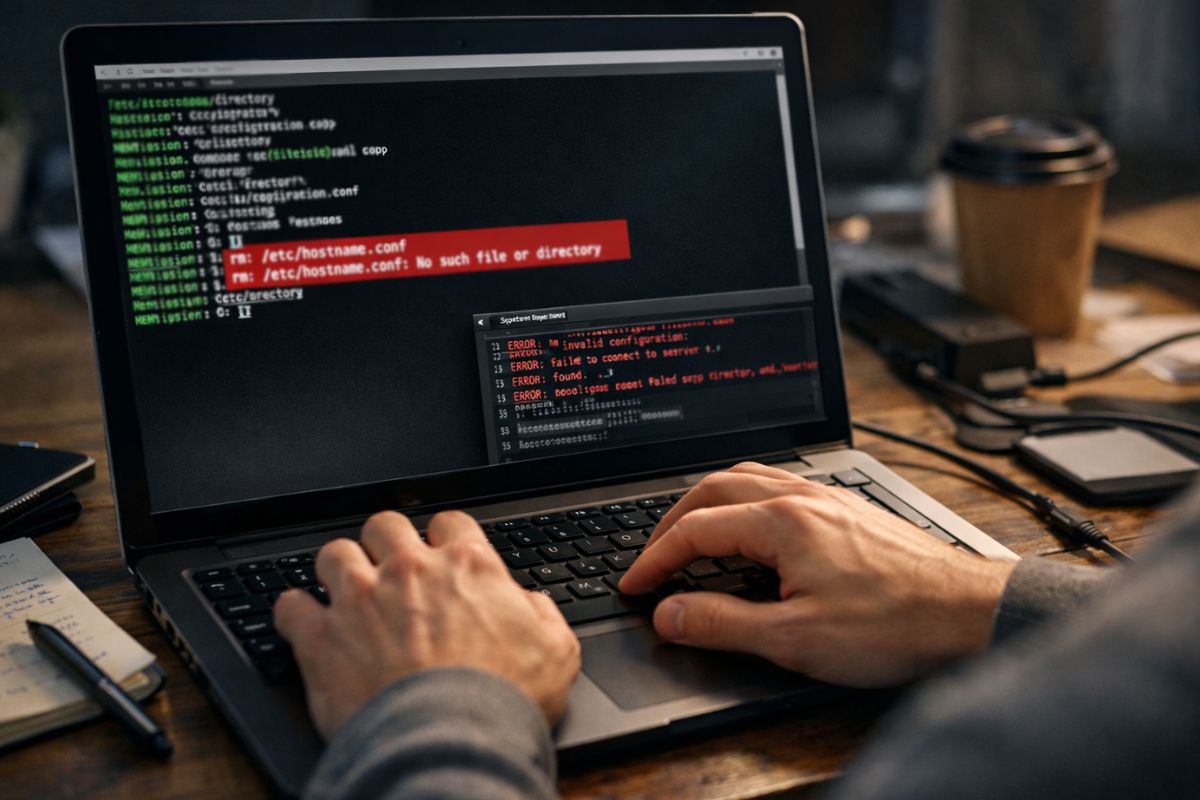
One misplaced character in a BSD terminal can wipe data, break permissions, or expose a service to the public internet. The command line does exactly what you tell it to do. Nothing more. Nothing less. That precision is powerful. It is also unforgiving. In FreeBSD, OpenBSD, and NetBSD environments, typing accuracy is not a soft skill. It is operational risk management.
Administrators spend hours inside shells configuring networking, adjusting firewalls, editing rc files, and maintaining services. A single typo in a path or flag can redirect output, overwrite files, or apply changes system wide. That is why practicing with an online typing test is not just about speed. It is about building muscle memory that reduces hesitation and misfires when it matters most.
Quick Summary
- BSD terminals execute commands exactly as typed, including mistakes.
- Typing accuracy lowers the risk of destructive or misconfigured operations.
- Touch typing builds command precision under pressure.
- Reliable input supports security, uptime, and data integrity.
The Terminal Has No Tolerance for Sloppy Input
Graphical interfaces cushion errors with confirmation dialogs and visual hints. The BSD shell does not. If you mistype a recursive removal command, the system will not question your intent. A stray space can change the meaning of a command. A missing slash can target the wrong directory.
Consider the difference between editing a configuration file in the correct directory and writing over a similarly named file elsewhere. Even a minor slip in tab completion can result in modifying the wrong path. That risk becomes sharper during tasks like configuring user permissions, where a misapplied chmod or chown can lock out legitimate users or open sensitive files.
Typing accuracy keeps intent aligned with execution. It ensures that flags, paths, and parameters are entered correctly the first time. That discipline prevents costly recovery operations later.
How Minor Typos Become Major Incidents
A BSD environment often runs production workloads. Web servers, DNS services, file shares, and routing rules depend on correct configuration. Small typing mistakes can cascade.
Below are common scenarios where precision matters:
- A misplaced wildcard expands unexpectedly, altering more files than intended.
- An incorrect network interface name disrupts connectivity across a subnet.
- A mistyped port number exposes a service that was meant to remain internal.
- A missing character in a pf rule blocks legitimate traffic.
- A swapped letter in a device name prevents a filesystem from mounting.
Each of these examples begins with a keystroke. Each can escalate into downtime, data loss, or security exposure. Accuracy is the first defense layer before monitoring or auditing tools even come into play.
Precision and Security Walk Together
Security on BSD systems often relies on exact configuration. Firewall rules, SSH hardening, and daemon restrictions must be typed exactly as intended. An extra space or wrong argument can quietly undermine the protection you thought you applied.
In tasks such as configuring pf and ipfw, syntax accuracy is critical. A rule out of order or slightly malformed can alter traffic flow in unexpected ways. Because BSD tools value clarity over hand holding, they assume the operator knows what they are doing.
The broader concept of shell interaction is documented in resources like the Unix shell overview. That history emphasizes text based control and composability. With that power comes responsibility. Accurate typing ensures that commands reflect deliberate intent, not rushed guesswork.
Why Touch Typing Reduces Cognitive Load
Looking down at the keyboard interrupts thought flow. In a BSD session, that break in focus increases the chance of misremembering a flag or directory path. Touch typing reduces that interruption. Your hands move automatically. Your eyes stay on the terminal output.
Cognitive bandwidth matters during complex tasks such as editing rc.conf, adjusting loader settings, or parsing logs. If mental energy is spent finding keys, less remains for understanding context. Accurate typists make fewer corrections. They commit fewer half formed commands. They read their own input more clearly before pressing Enter.
This habit is especially valuable in recovery scenarios. During a crash investigation or post incident response, stress levels rise. Accuracy under pressure becomes the difference between restoring a system and worsening the situation.
The Cost Model of Command Line Errors
Typing errors are not abstract risks. They carry measurable costs. The table below illustrates typical impacts inside BSD environments.
| Error Type | Immediate Impact | Operational Cost |
|---|---|---|
| Wrong path deletion | Loss of critical files | Recovery time, data reconstruction |
| Misconfigured firewall rule | Blocked or exposed services | Downtime, security review |
| Incorrect permissions | Access denial or data leakage | User disruption, audit overhead |
Each row begins with a small typing inaccuracy. Each outcome demands time and often a formal review. For teams running BSD in production, that translates to direct cost.
Building Accuracy as a Professional Discipline
Accuracy improves with structured practice. Random typing does not build reliable muscle memory. Deliberate repetition does. Practicing home row positioning, consistent finger placement, and controlled speed creates stable habits.
Structured benchmarking creates accountability. Tracking error rates over time reveals improvement. Many administrators focus only on speed. That is incomplete. A lower words per minute score with near perfect accuracy is more valuable in a root shell than high speed with frequent mistakes.
You can treat typing accuracy as part of your BSD toolkit. Just as you monitor system logs and patch vulnerabilities, you refine the reliability of your own input.
Five Practical Habits for Safer Terminal Work
Accuracy is not only about keyboard skill. It is also about workflow discipline.
- Use tab completion consistently to avoid manual path errors.
- Read every destructive command twice before pressing Enter.
- Test complex commands without sudo first where possible.
- Break long commands into smaller, verifiable steps.
- Keep command history clean and review it during audits.
These habits reinforce typing precision. They create natural checkpoints without slowing productivity. Over time, they become automatic behaviors.
Accuracy During Automation and Scripting
Shell scripts multiply the effect of typing. A single error inside a loop can repeat across hundreds of files or hosts. Automation amplifies both correctness and mistakes.
During scripting, accuracy matters in variable names, quoting, and redirection. A missing quote can cause glob expansion. A typo in a variable can evaluate to empty and alter logic flow. In BSD environments that rely on cron jobs and scheduled tasks, a small scripting mistake can persist unnoticed for days.
Precise typing reduces these risks at the source. It ensures that what is written into a script reflects intended logic rather than hurried composition.
Operational Calm Comes from Confident Input
There is a visible difference between a hesitant terminal user and a confident one. The confident administrator types steadily. Commands appear cleanly. Corrections are rare. Output is interpreted quickly.
Confidence grows from accuracy. When your fingers reliably produce the correct syntax, you spend less time second guessing. That calm translates into better decision making. It supports clearer thinking during deployments, migrations, and incident response.
BSD systems reward that composure. Their design philosophy values simplicity and transparency. Accurate typing aligns perfectly with that culture.
Turning Keystrokes Into System Reliability
Every BSD administrator manages risk. Firewalls, jails, secure mounts, and logging strategies all serve that goal. Typing accuracy belongs in the same category. It protects systems before configuration files are even saved.
Treat each command as a precise instruction to a literal machine. Type deliberately. Read carefully. Press Enter with confidence, not guesswork. Over time, those habits prevent costly mistakes in BSD terminal sessions and strengthen your role as a dependable operator.
The terminal does not forgive. It obeys. Accuracy ensures that obedience works in your favor.








No Responses