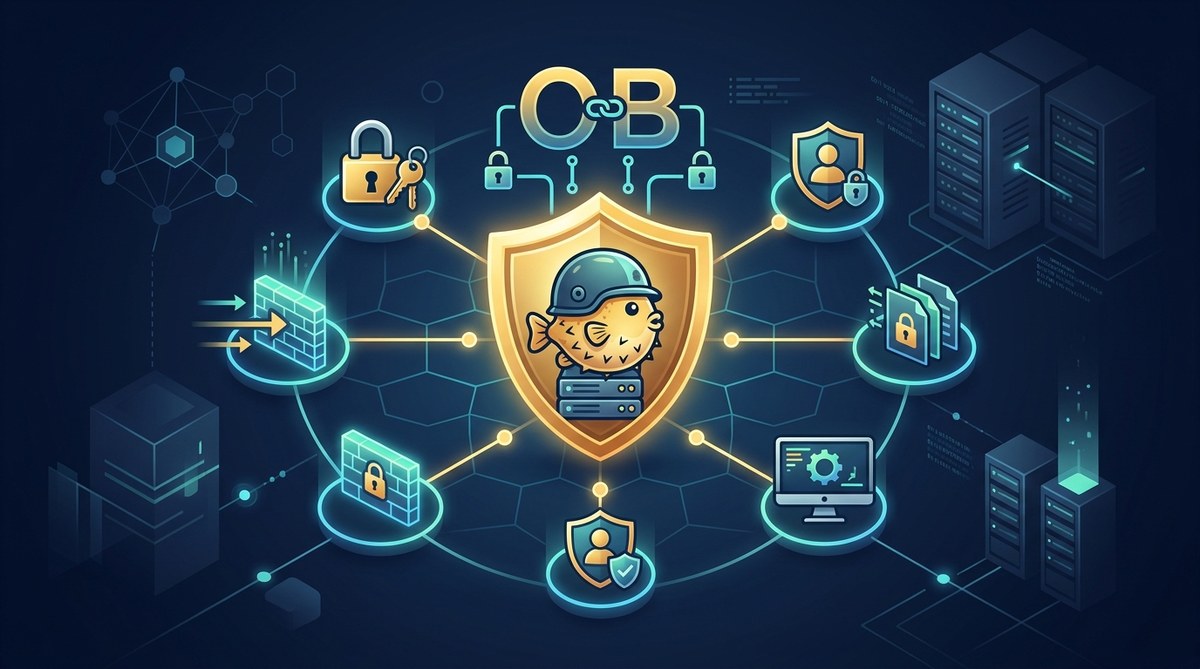
OpenBSD is renowned for its security oriented design and proactive defense model. For beginners, this means you have a solid foundation to build a hardened system with sensible defaults. This guide walks you through practical, beginner friendly best practices you can implement right away on a fresh OpenBSD install. Whether your goal is a home firewall, a small office server, or a development workstation, the goal is the same: reduce risk by adopting security minded habits and using the tools that OpenBSD ships with by default.
Why OpenBSD security matters for beginners
OpenBSD ships with strong security features baked in from the start. Features like privilege separation, secure by default configurations, and a focus on auditable, auditable code paths make it a strong choice for those who want a robust baseline. As a beginner you can leverage these features without needing extensive customization. The trick is to learn the core concepts and then apply them as part of your regular workflow.
Key ideas to keep in mind include:
- Security by default reduces the chance of human error. Start with a minimal, well configured system and expand only what you need.
- Time and cryptography underpin trust. Keeping time accurate helps SSL/TLS, logs, and ticket based authentication work reliably.
- Secrets belong to trusted places and are accessed on demand. Do not hard code credentials or store secrets where they can be easily exfiltrated.
With that mindset, you can implement practical safeguards that scale with your needs.
Getting started: a security minded setup checklist
Before you start building a hardened OpenBSD box, here is a practical checklist you can follow. It is designed for straightforward execution for beginners.
- Install OpenBSD with a minimal footprint
- Choose the baseline install and avoid adding unnecessary packages during initial setup.
-
Create a dedicated non privileged user for day to day administration.
-
Update the system and apply patches
- Run the binary patch tool to apply security updates:
- syspatch
- When you are ready to move to a newer OpenBSD release, plan a controlled upgrade:
- sysupgrade
-
Regularly check the advisory feeds and apply updates promptly.
-
Harden user access
- Disable root login for SSH
-
Create an unprivileged user and use a controlled elevation method when needed
-
Enable a firewall early
- OpenBSD ships with PF and the ability to tailor rules to your environment
-
Start with a simple default deny policy and allow only the necessary traffic
- Prefer key based SSH authentication
- Use protocol 2 only
-
Consider limiting access by IP address range and using a non standard port if appropriate
-
Time synchronization
- Ensure the system clock stays accurate
-
Use NTP to avoid time drift that can affect logs and cryptographic operations
-
Secrets management
- Centralize secrets when possible
- Avoid storing credentials in plaintext on disk
-
Plan for safe retrieval at runtime
-
Backups and recovery
- Implement regular backups
- Verify that backups can be restored
-
Keep a tested disaster recovery plan
-
Monitoring and logs
- Ensure logs are collected, rotated, and retained
-
Regularly review system and PF related logs
-
Education and practice
- Revisit the security configuration after major changes
- Practice in a non production environment to reduce risk
Core security features you should know about
1. Updates and advisories
Keeping OpenBSD up to date is the single most important thing beginners can do.
- OpenBSD provides clear security advisories. Make it a habit to check the OpenBSD website and the official mailing lists for new advisories.
- Use syspatch to apply binary patches to the base system for the current release.
- Plan for upgrades to newer releases when the time comes, using sysupgrade and a well tested backup plan.
- After applying patches, reboot if necessary and verify services come back online.
Practical tips:
– Subscribe to security advisories and set up a monitoring process to alert you when new advisories are published.
– Run syspatch during a maintenance window and verify the patch did not disrupt essential services.
2. Hardening fundamentals: pledge, unveil, and secure by default
OpenBSD brings a philosophy of secure by default to the table. Two powerful mechanisms you will likely encounter are pledge and unveil.
- Pledge restricts the system calls a process can make after starting. This reduces the impact of any potential vulnerability in the process.
- Unveil controls file system access, allowing a process to see only the files and directories it truly needs.
What this means for you:
– Build or enable services that leverage these protections.
– When you write scripts or run services, prefer sandboxed or unprivileged contexts and minimize access to the file system.
Practical approach:
– Review the default services on your system and ensure they run with the least privilege required.
– When developing scripts, scope file access narrowly, and avoid broad root level permissions when possible.
3. PF firewall basics and best practices
PF is OpenBSDs built in firewall and packet filter. A careful firewall configuration can block many common attack vectors before they ever reach services.
Starting principles:
– Start with a default deny stance. Allow only traffic you explicitly need.
– Block all inbound traffic except essential access like SSH from trusted sources or a management network.
– Log deny events for visibility and future tuning.
A simple PF starting point (conceptual):
– Block all inbound traffic
– Allow SSH from trusted admin networks
– Allow outbound DNS, NTP, and required services
– Enable pflog to capture firewall events for debugging
Operational tips:
– Use pfctl -sr to review rules and pfctl -si to inspect the current state
– Keep your rules as small as possible and document the intent behind each rule
– Test changes in a controlled environment before applying to production
4. SSH hardening for OpenBSD
SSH is a common attack surface if not properly configured. Harden SSH by focusing on authentication strength and access control.
Recommended practice:
– Disable root login over SSH
– Use protocol 2 only
– Prefer public key authentication and disable password login
– Restrict access by allowing only known IPs when feasible
– Consider a non standard port to reduce automated login attempts, while not relying on obscurity alone
Configuration notes:
– In sshd_config, set PermitRootLogin no and PasswordAuthentication no
– Use AuthorizedKeysFile to specify where your public keys are stored
– If you need two factor authentication, explore OpenBSD compatible 2FA options
5. Time synchronization and cryptography
Accurate time is essential for log correlation, certificate validation, and ticket based authentication.
What to do:
– Enable NTP on your system and ensure it stays in sync
– OpenBSD uses the ntpd daemon included in the base system for time synchronization
– Regularly verify time set and log entries show plausible times
Why it matters:
– Inaccurate clocks lead to certificate and login issues
– Consistent timestamps simplify incident investigation
Cryptography best practices:
– Rely on OpenBSDs libraries and crypto implementations that offer strong default algorithms
– Avoid rolling your own crypto
– Keep cryptographic tools up to date and patched
6. Secrets management with Vault and OpenBSD integration
Secret management is a critical habit for beginners who want to avoid credential leakage.
Approaches:
– Use a centralized secret management tool such as Vault to fetch credentials at runtime rather than storing them on disk
– Integrate Vault with your OpenBSD tooling through secure channels and short lived credentials
– Rotate secrets on a reasonable cadence and as part of normal maintenance windows
Practical notes:
– Do not store secrets in plaintext in system configuration files
– When you must reference credentials in config files, rotate them regularly and limit their scope
– Use access controls to ensure only needed processes can fetch secrets
7. Disk and file system security basics
OpenBSD emphasizes careful file permissions and defense in depth.
Best practices:
– Use a minimal set of installed services to reduce attack surface
– Regularly audit file permissions and verify sensitive files are not world readable
– Use the system to ensure logging and auditing information is preserved
Policy ideas:
– Keep critical data on separate partitions or mounts with strict permissions
– Use file system level protections and avoid unnecessary exposure of sensitive paths
8. Backups and disaster recovery planning
Backups are essential for resilience. Always plan for recovery.
Do this:
– Create regular backups of important system and data
– Verify backups by performing test restores on a separate system
– Store backups securely and consider off site copies if possible
– Document recovery steps so you can act quickly under pressure
9. Logs and monitoring for beginners
Observability helps you detect and respond to issues early.
What to implement:
– Centralize logs where possible and enable log rotation to prevent disk growth issues
– Review PF related logs and system logs on a regular cadence
– Use alerts for unexpected spikes in traffic or repeated authentication failures
Tips:
– Schedule a weekly log review as part of your routine
– Keep an eye on unusual outbound connections, especially from hosts running open services
A practical implementation guide: starter configuration steps
Here is a clear, beginner friendly sequence you can follow to get a secure OpenBSD box up and running.
- Fresh install with a minimal system
- Create a non privileged user for daily operations
-
Ensure root is not directly accessible for routine tasks
-
Apply patches and updates
- Run syspatch to apply binary patches
-
Schedule a routine to check advisories and run sysupgrade when planning an upgrade
-
Harden SSH and access
- Disable root login over SSH
- Enable key based authentication for admin accounts
-
Restrict SSH access to known admin networks or use a jump host if remote access is required
-
Configure PF firewall
- Start with a default deny policy
- Allow only essential inbound ports such as SSH from trusted networks
-
Log denied connections for later review
-
Time synchronization
- Enable ntpd and ensure it runs at boot
-
Confirm that the clock remains accurate via system logs
-
Secrets and credentials
- Store credentials in a secret management system
-
Avoid placing secrets in config files or scripts
-
Regular backups
- Set up a backup job and test restoration
-
Verify backup integrity periodically
-
Monitoring and maintenance
- Maintain a log review routine
- Keep an eye on firewall and service status
Beginner friendly action plan: 4 week trajectory
Week 1
– Install OpenBSD with minimal services
– Create a non privileged admin user
– Configure SSH with key based auth and disable root login
– Enable PF with a simple allow list
Week 2
– Apply patches with syspatch
– Set up time synchronization with ntpd
– Review and tighten PF rules
Week 3
– Integrate a secret management practice for credentials
– Establish a basic backup routine and test restores
– Begin log centralization and alerting
Week 4
– Conduct a security review
– Fine tune SSH access controls
– Finalize disaster recovery plan and practice a restore scenario
Common beginner mistakes to avoid
- Leaving SSH root access enabled
- Running services with broad file system permissions
- Failing to keep the system patched and up to date
- Not validating backups or disaster recovery procedures
- Overly permissive firewall rules that expose services to the internet
Resources and further learning
- OpenBSD official security advisories and weekly bulletins
- PF documentation and example rules
- Documentation for pledge and unveil principles
- Vault and other secret management options
- Community forums and BSD related tutorials for practical tips
OpenBSD security best practices are designed to be approachable for beginners while still offering strong protection. By establishing a routine around updates, access control, firewall discipline, time synchronization, and secrets management, you will build a solid, maintainable security posture. As you gain experience, you can layer on more advanced controls and tailor configurations to your environment. The key is to stay curious, test changes in a safe environment, and make security a regular habit rather than a one time task.
If you want to dive deeper into any of these topics, the BSDApps community is a great place to find tutorials and real world examples. Our tutorials cover world time synchronization, Unix time conversions, safe APK downloads, secret management with Vault, DNS caching, OpenBSD security, WireGuard VPN setups, and hardware compatibility across FreeBSD, OpenBSD and NetBSD.










No Responses